Tom And Jerry Mac Desktop Chaos
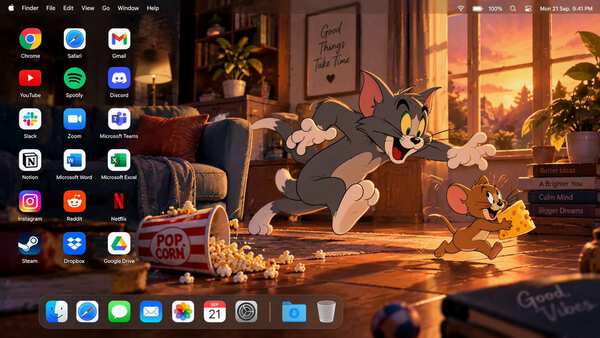
Create a high-end 16:9 macOS desktop screenshot featuring Tom and Jerry as the main characters. Build an original cinematic cartoon living-room environment at sunset, with warm win…
Reference prompt : Create a premium 16:9 macOS desktop environment using the uploaded image as the visual reference for the main subject.
Extract the primary subject with clean, natural edges while preserving its exact identity, facial features, proportions, colors, outfit, hairstyle, accessories, rendering style, and overall personality. If the reference is anime, illustration, or photography, maintain the same medium and visual character. Remove all original background elements, borders, text, panels, and interface clutter. If multiple subjects are interacting, preserve their relationship and positioning.
DESKTOP COMPOSITION: Build a cinematic widescreen desktop wallpaper with the subject positioned on the FAR RIGHT, taking roughly 42% of the frame. Keep the center open as visual breathing space. Reserve the LEFT 45% for desktop shortcuts. Maintain comfortable margins around the subject and ensure no face, hand, or important detail is hidden behind interface elements.
BACKGROUND DESIGN: Generate an original macOS-inspired abstract environment based on colors found in the reference subject. Use layered translucent ribbons, soft glass-like shapes, subtle depth, flowing gradients, atmospheric lighting, and refined curved forms. Avoid generic blue macOS wallpaper styling. Match the background mood to the subject automatically: cute = soft pastel atmosphere futuristic = luminous gradients and subtle glow dark = charcoal, deep violet, burgundy, or muted emerald bright = clean warm gradients with controlled highlights natural = earthy muted tones
Keep the LEFT area darker and visually simple so desktop labels remain readable. Add only subtle thematic shapes related to the subject.
DESKTOP SHORTCUTS: Place exactly 18 application shortcuts in a precise 3-column × 6-row layout on the LEFT.
Row 1: Chrome | Safari | Gmail
Row 2: YouTube | Spotify | Discord
Row 3: Slack | Zoom | Microsoft Teams
Row 4: Notion | Microsoft Word | Microsoft Excel
Row 5: Instagram | Reddit | Netflix
Row 6: Steam | Dropbox | Google Drive
Use recognizable modern application logos, uniform visual scale, consistent spacing, and small clean white labels beneath every icon. No missing icons, duplicates, substitutions, or additional shortcuts.
TOP SYSTEM BAR: Create a realistic slim translucent macOS menu bar spanning the entire width. On the left show: Apple logo, Finder, File, Edit, View, Go, Window, Help
On the right show subtle Wi-Fi, battery, control/status symbols and a realistic clock. Keep the bar understated and integrated into the wallpaper.
BOTTOM DOCK: Add a compact glass-style macOS Dock centered near the bottom, positioned slightly toward the LEFT if needed to prevent overlap with the subject.
Dock contents: Finder, Safari, Messages, Mail, Photos, Calendar, System Settings, separator, Downloads, Trash
Use realistic macOS icon styling, subtle translucency, soft reflections, and restrained size.
VISUAL QUALITY: Photorealistic desktop screenshot presentation, ultra-clean edges, accurate icon geometry, crisp typography, natural shadows, subtle glassmorphism, high dynamic range, refined lighting, balanced negative space, premium Apple-inspired design language.
The final image must look like a real personalized macOS desktop rather than a poster or mockup.
No computer hardware, monitor frame, keyboard, mouse, perspective view, open windows, browser tabs, banners, advertisements, large text, wallpapers containing duplicate characters, extra subjects, or additional desktop icons.
Output: one finished high-resolution 16:9 edge-to-edge desktop screenshot.
Create a high-end 16:9 macOS desktop screenshot featuring Tom and Jerry as the main characters. Build an original cinematic cartoon living-room environment at sunset, with warm win…
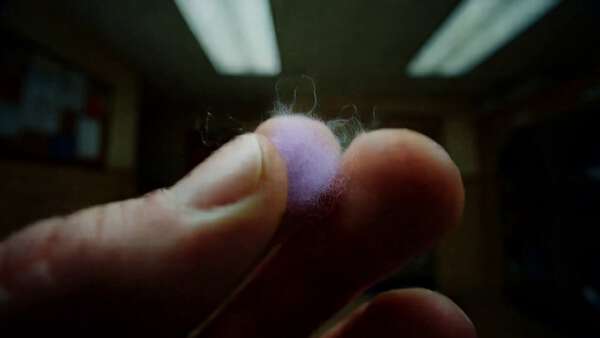
15秒16:9横屏短片,深夜自助洗衣店,实拍叠加蜡笔质感抖动线条的手绘发光动画,手机手持拍摄。指尖一缕紫色丝线→紫色蜡笔水母→逃窜到洗衣栏里,变成手绘袜子→手绘袜子一蹦一跳撞上真实袜子,变成紫蓝色流星→滑进洗衣机,变成浅蓝色小鱼→变成浅蓝色小火车,触碰售货机按键→变成夹子机器人,紫色与淡蓝色手绘纹路铺满开。整间洗衣店变成夜空涂鸦,洗衣机圆形视窗化作闪烁的星座…
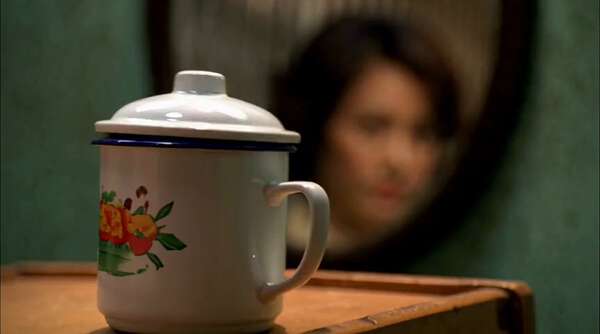
生成一支 25 秒、写实电影质感、原生同步粤语对白的双人港式市井动作喜剧短片。画幅 2.35:1,24fps 观感,轻微胶片颗粒。整体气质是 2004 年香港无厘头功夫喜剧:破旧唐楼走廊、斑驳绿墙、晃动白炽灯、铁闸、搪瓷杯、拖鞋、老式电风扇,画面真实但节奏荒诞。不要直接复刻任何现实演员面孔,不要使用真实电影角色名。 全片不出现全身镜头,只使用胸部以上中景、近…
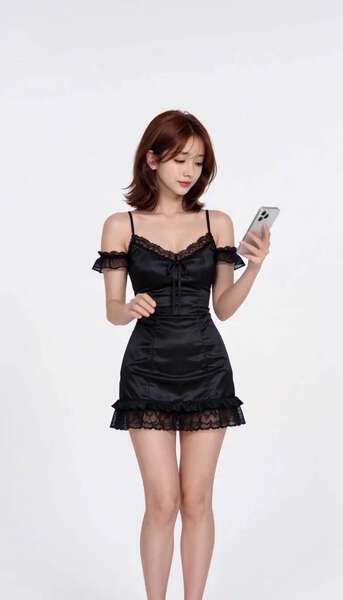
<Picture 1> defines Rei's opening outfit only: a fitted black satin mini dress with thin spaghetti straps, a lace-trimmed V-neckline, a small front bow with trailing ribbons, off-t…
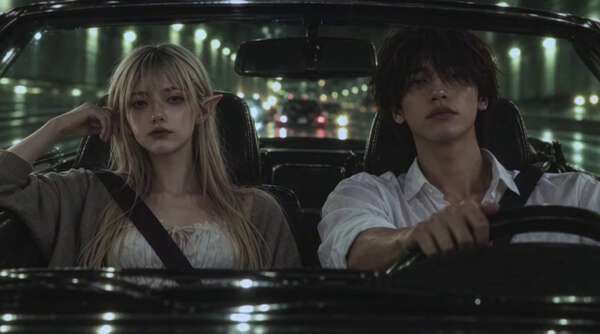
subject_definitions: <Subject 1> is the adult female elf in @Image1 , with the same facial identity, delicate pointed ears, pale natural skin, amber-brown eyes, long light-blond…
A young East Asian girl in fully photorealistic human form, with warm brown eyes, freckles across her nose bridge and cheeks, natural brows, and a confident soft expression. She ha…