tutorial video prompts

41 prompts found
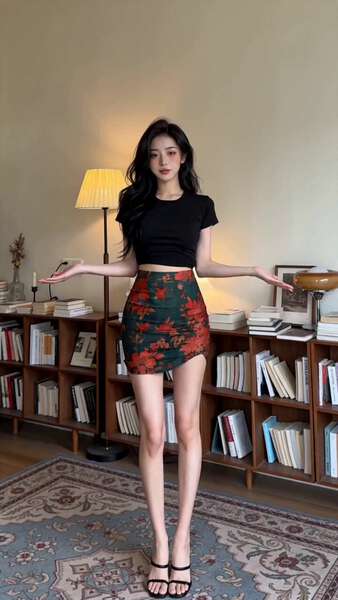
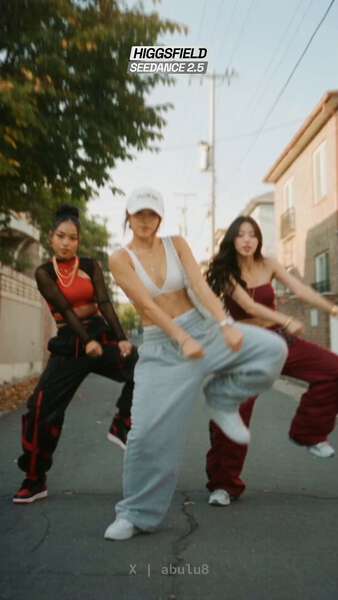
Super Easy AI Dance Tutorial Seedance 2.0
Hover to play preview

Super Easy AI Dance Tutorial

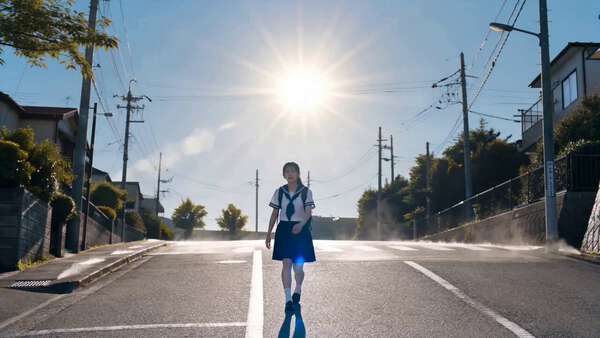
She is doing a kawai tiktok influencer dance in tokyo at night

dance tutorial urban night portrait
2026-05-12
Classic Pancake Stack Tutorial Seedance 2.0
Hover to play preview

Classic Pancake Stack Tutorial

Classic Pancake Stack — First 15 Seconds Use the attached CLASSIC PANCAKE STACK storyboard image as the main reference. IMPORTANT: Animate ONLY PART 1 — the TOP HALF of the storyboard. Do not animate Part 2 in this clip. This is the FIRST 15 SECONDS of a 30-second pancake tutorial. Follow the sequence exactly in order from shots 1 to 10. Do not skip, reorder, merge, or invent steps. GOAL: Create a beautiful 15-second cooking tutorial video that brings the TOP HALF of the storyboard to life as a premium food video. The result should feel polished, appetizing, clean, and easy to follow, with strong continuity and clear action. STYLE: High-quality stylized 3D cooking video, bright premium brunch aesthetic, warm natural kitchen lighting, clean white and wood tones, appetizing golden food rendering, glossy batter texture, realistic steam and pan heat, charming chef performance. Keep the same young male chef throughout: expressive face, dark brown wavy hair, white chef jacket with black buttons, dark apron. Keep the kitchen setting visually consistent. AUDIO: No background music. Use environment and cooking sounds only: light kitchen room tone, whisking, bowl handling, butter sizzling, batter pouring, pancake sizzling, spatula movement, soft cooking ambience. No voiceover. No lyrics. No music. TIMING: 15 seconds total. 10 shots total. About 1.5 seconds per shot. Use clean, quick cuts. Each shot should show one clear action. SHOT ORDER — FOLLOW EXACTLY: SHOT 1 — INGREDIENTS READY Chef presents the ingredients neatly on the counter: flour, eggs, milk, sugar, baking powder, melted butter, salt, whisk, bowl, and pan. Bright and organized. Show an inviting setup. SHOT 2 — DRY MIX Chef adds dry ingredients into a bowl: flour, sugar, baking powder, and salt. Make the pouring and bowl composition clear and tidy. SHOT 3 — WET MIX Chef adds wet ingredients: eggs, milk, and melted butter. Show clean pouring motion and attractive ingredient textures. SHOT 4 — WHISK BATTER Chef whisks the batter until smooth. Show a creamy, silky batter texture. Make the whisk motion satisfying and readable. SHOT 5 — HEAT PAN Show the pan heating with butter melting or lightly greasing the pan. Make the butter melt visible. Show subtle heat and pan shimmer. SHOT 6 — POUR BATTER Chef pours batter into the pan in a neat round shape. Show the batter spreading into an even pancake. SHOT 7 — BUBBLES FORM Close-up of the pancake surface as bubbles form. Make this clear and visually satisfying. SHOT 8 — FLIP Chef flips the pancake with a spatula. The motion should be clean and confident. Avoid chaotic motion. SHOT 9 — GOLDEN FINISH Show the pancake cooking on the second side with a beautiful golden-brown finish. Highlight texture and warmth. SHOT 10 — SET ASIDE Chef transfers the finished pancake to a plate or stacking area. This shot should visually set up the next part. CAMERA DIRECTION: Use a mix of medium shots and close-ups. Use top-down angles for mixing when useful. Use 3/4 angle for the pan and flipping actions. Keep movement smooth and readable. Do not use shaky or chaotic camera movement. VISUAL CONTINUITY: Keep the chef identical across all shots. Keep the countertop, bowls, pan, lighting, and ingredients consistent. Make sure Part 1 ends in a way that naturally leads into stacking pancakes in Part 2. NEGATIVE INSTRUCTIONS: Do not animate the bottom half / Part 2 in this clip. Do not add syrup, berries, powdered sugar, or final plating yet. Do not change the chef design. Do not add extra characters. Do not add text overlays. Do not add music. Do not skip steps. Do not show the final pancake stack yet. END STATE: End with several cooked pancakes ready to be stacked, so the next clip can continue naturally.

food tutorial 3d animation instructional
2026-05-09
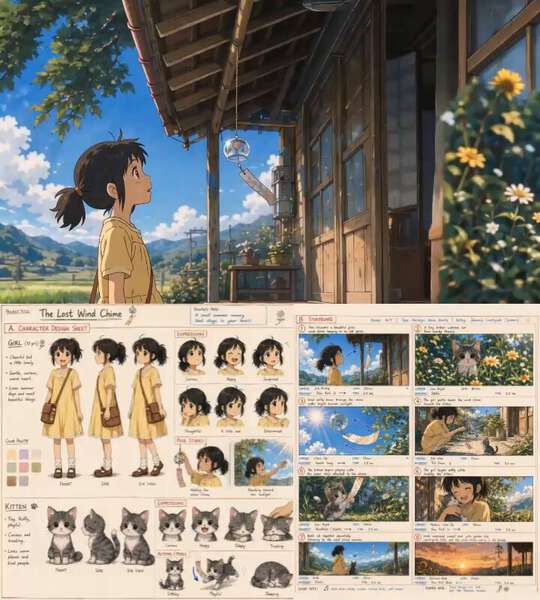
Pancake Stack Storyboard Tutorial Part 1 Seedance 2.0
Hover to play preview

Pancake Stack Storyboard Tutorial Part 1

Classic Pancake Stack — First 15 Seconds Use the attached CLASSIC PANCAKE STACK storyboard image as the main reference. IMPORTANT: Animate ONLY PART 1 — the TOP HALF of the storyboard. Do not animate Part 2 in this clip. This is the FIRST 15 SECONDS of a 30-second pancake tutorial. Follow the sequence exactly in order from shots 1 to 10. Do not skip, reorder, merge, or invent steps. GOAL: Create a beautiful 15-second cooking tutorial video that brings the TOP HALF of the storyboard to life as a premium food video. The result should feel polished, appetizing, clean, and easy to follow, with strong continuity and clear action. STYLE: High-quality stylized 3D cooking video, bright premium brunch aesthetic, warm natural kitchen lighting, clean white and wood tones, appetizing golden food rendering, glossy batter texture, realistic steam and pan heat, charming chef performance. Keep the same young male chef throughout: expressive face, dark brown wavy hair, white chef jacket with black buttons, dark apron. Keep the kitchen setting visually consistent. AUDIO: No background music. Use environment and cooking sounds only: light kitchen room tone, whisking, bowl handling, butter sizzling, batter pouring, pancake sizzling, spatula movement, soft cooking ambience. No voiceover. No lyrics. No music. TIMING: 15 seconds total. 10 shots total. About 1.5 seconds per shot. Use clean, quick cuts. Each shot should show one clear action. SHOT ORDER — FOLLOW EXACTLY: SHOT 1 — INGREDIENTS READY Chef presents the ingredients neatly on the counter: flour, eggs, milk, sugar, baking powder, melted butter, salt, whisk, bowl, and pan. Bright and organized. Show an inviting setup. SHOT 2 — DRY MIX Chef adds dry ingredients into a bowl: flour, sugar, baking powder, and salt. Make the pouring and bowl composition clear and tidy. SHOT 3 — WET MIX Chef adds wet ingredients: eggs, milk, and melted butter. Show clean pouring motion and attractive ingredient textures. SHOT 4 — WHISK BATTER Chef whisks the batter until smooth. Show a creamy, silky batter texture. Make the whisk motion satisfying and readable. SHOT 5 — HEAT PAN Show the pan heating with butter melting or lightly greasing the pan. Make the butter melt visible. Show subtle heat and pan shimmer. SHOT 6 — POUR BATTER Chef pours batter into the pan in a neat round shape. Show the batter spreading into an even pancake. SHOT 7 — BUBBLES FORM Close-up of the pancake surface as bubbles form. Make this clear and visually satisfying. SHOT 8 — FLIP Chef flips the pancake with a spatula. The motion should be clean and confident. Avoid chaotic motion. SHOT 9 — GOLDEN FINISH Show the pancake cooking on the second side with a beautiful golden-brown finish. Highlight texture and warmth. SHOT 10 — SET ASIDE Chef transfers the finished pancake to a plate or stacking area. This shot should visually set up the next part. CAMERA DIRECTION: Use a mix of medium shots and close-ups. Use top-down angles for mixing when useful. Use 3/4 angle for the pan and flipping actions. Keep movement smooth and readable. Do not use shaky or chaotic camera movement. VISUAL CONTINUITY: Keep the chef identical across all shots. Keep the countertop, bowls, pan, lighting, and ingredients consistent. Make sure Part 1 ends in a way that naturally leads into stacking pancakes in Part 2. NEGATIVE INSTRUCTIONS: Do not animate the bottom half / Part 2 in this clip. Do not add syrup, berries, powdered sugar, or final plating yet. Do not change the chef design. Do not add extra characters. Do not add text overlays. Do not add music. Do not skip steps. Do not show the final pancake stack yet. END STATE: End with several cooked pancakes ready to be stacked, so the next clip can continue naturally.

food tutorial storyboard
2026-05-09
FACS Expression Control for AI Video Acting Seedance 2.0
Hover to play preview

FACS Expression Control for AI Video Acting

Use the provided character as the fixed identity reference. 1qs, 1:1, 7 beats, beat-synced, cinematic tight close-up, subtle neutral background, high facial clarity, slow micro push-in, shallow depth of field. 1: AU22 2: AU71 3: AU6 4: AU12 5: AU4 6: AU15 7: AU26

tutorial closeup expression-control
2026-05-07
Storyboard Animation Workflow with Seedance 2.0 Seedance 2.0
Hover to play preview

Storyboard Animation Workflow with Seedance 2.0

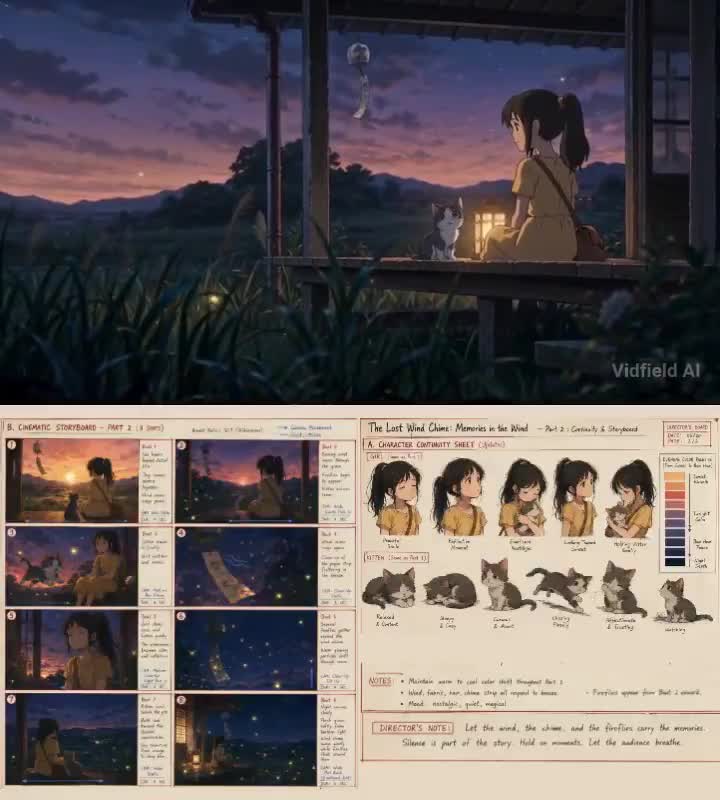
Part 1 @ Image1 as the storyboard reference. Strictly follow Storyboard 1: The Sleeping Beacon. K-17, a small maintenance robot with matte off-white ceramic shell, brushed bronze joints, single cyan camera eye, scratched glass chest light, tiny antenna, and worn red shoulder stripe, wakes inside an abandoned lunar lighthouse outpost. Maintain the exact same robot design in every shot. Stylized 3D animation, Blender render feel, warm highlights cold shadows, tactile scratched metal and dusty glass materials. No brand logos, no readable screen text, no camera gear visible. Scene 1: Wide shot of a forgotten lunar lighthouse half-buried in moon dust, Earth small in the sky. Slow dolly push over 3 seconds, eye-level horizon locked. Narrator: “On a silent moon outpost, one little machine still remembered its job.” Scene 2: Medium close-up of K-17 waking in a dusty maintenance bay, cyan eye flickering on. Locked-off camera, shallow depth of field. Narrator: “For years, K-17 guarded a beacon no one answered.” Scene 3: Over-shoulder shot of K-17 watching the tower lens fade above, no readable screen text. Slow tilt up from K-17 to the dark lens. Narrator: “Then one night, the signal died.” Scene 4: Close-up of K-17 uncovering a cracked amber power core beneath broken panels. Slow push from close-up to tighter close-up, reflections shifting across glass. Narrator: “But beneath the dust, it found one last spark.” Scene 5: Wide vertical-feeling shot of K-17 standing at the base of a huge spiral staircase, holding the heavy core. Low angle, slow pull back revealing the scale. Narrator: “So it began to climb.” Scene 6: Final wide shot, tiny K-17 climbing alone into the dark tower. Camera remains steady, beacon chamber above barely glowing. Tone: quiet, emotional, lonely, hopeful. Audio: low lunar wind, soft metal creaks, faint synth pulse, delicate piano notes. No on-screen text.

animation storyboard workflow tutorial cinematic
2026-05-07
Storm Warrior Chase Sequence Seedance 2.0
Hover to play preview

Storm Warrior Chase Sequence

Use @Image1 as the exact identity reference for the main warrior ENVIRONMENT: A shattered sky fortress above an endless thundercloud abyss. Broken suspended bridges, cracked temple arches, blue fire braziers, falling stone, drifting ash, storm rain, bright electric flashes. The route ahead keeps assembling from floating debris while everything behind collapses into cloud and darkness. Enemies appear continuously ahead: masked stone sentinels and warped winged guardians. CAMERA: NO STATIC CAMERA, ALWAYS MOVING. Primary, over-the-shoulder forward chase shot. Camera trails slightly behind, constantly correcting position. Frequent overshoot, snap back, side drift. Dynamic tilt and roll, unstable framing. Heavy forward drag, lens warp, rolling shutter distortion. Camera feels like it is struggling to keep up with @Image1. ACTION TIMELINE, 15s CONTINUOUS FORWARD ASSAULT 0.0 to 1.2s, STORM ENTRY @Image1 bursts through a fractured gate already sprinting. Segmented spear sweeps outward mid-run, clearing the first lane. Camera slams forward through dust and rain. 1.2 to 2.8s, SPEAR RIBBON SPIN @Image1 rotates while still advancing. Luminous ribbon energy circles outward from the spear, separating enemies and scattering debris. Camera arcs sideways, then snaps back behind. 2.8 to 4.5s, BLINK STEP DRIVE @Image1 flickers forward in rapid bursts, leaving afterimages that continue engaging targets while the main body advances. Camera lags, then accelerates to catch up. 4.5 to 6.2s, TOWER WALL RUN @Image1 runs along the outer wall of a vertical tower without losing forward direction. Spear drives downward and ahead. Camera tilts sideways about 45 degrees. 6.2 to 8.0s, BRIDGE SCRAPE CHARGE @Image1 lands on a narrow metal bridge and drags the spear tip along the surface while sprinting. Sparks and fragments spray backward. Low-angle chase camera emphasizes speed. 8.0 to 10.0s, FRACTURE BURST @Image1 accelerates into near-invisible motion, becoming a bright streak. Bridge sections split open and enemies separate instantly. Camera struggles with motion tearing and distortion. 10.0 to 12.0s, AERIAL FORWARD DRIVE @Image1 launches across a collapsing gap, mid-air spear slam clearing the next bridge segment. Shockwave pushes rain, ash, and stone outward. Camera rises slightly, then dives forward. 12.0 to 13.5s, SPLIT-LANE ADVANCE Afterimages split left and right across parallel bridge fragments while @Image1 continues straight ahead. Camera zig-zags trying to follow multiple targets. 13.5 to 15.0s, STORM EXIT @Image1 accelerates beyond frame into a giant glowing storm gate. Camera whips forward trying to catch up and fails. FINAL FRAME: Pure forward motion blur stretching bridge, lightning, and clouds, hard cut to black mid-run.

action cinematic fantasy tutorial
2026-05-06
GPT Image + Seedance 2 Character Card Dance Workflow gpt-image-2 Seedance 2.0
Hover to play preview

GPT Image + Seedance 2 Character Card Dance Workflow

用人物角色卡制作跳舞视频,只需两步,三分钟搞定! 第一步:GPT image2制作人物不同角色和姿势的参考图 第二步:把生成的图给到Seedance 2,输入简短跳舞提示词,坐等生成,搞定! (详细跳舞提示词见作者评论区)

workflow dance character seedance gpt-image tutorial
2026-05-06
Double Cooking Tutorial Seedance 2.0
Hover to play preview

Double Cooking Tutorial

Create a 15-second 16:9 animated instructional cooking video that follows the 10-shot sequence exactly. Preserve the same chef, kitchen, props, ingredients, and premium 3D stylized clean instructional aesthetic. Rules: - Strictly follow the 10-shot sequence in order - One shot per panel, about 1.5 seconds each - Do not change the order or skip any step - Keep rolling actions readable and elegant - Maintain continuity across the entire sequence Shot sequence: 1. Show ingredient layout 2. Wet hands and spread rice on nori 3. Leave top edge clear 4. Add fillings in a neat row 5. Tuck and begin rolling 6. Compress evenly for a tight roll 7. Finish rolling and seal edge 8. Slice into clean even pieces 9. Arrange sushi with garnish 10. Present finished sushi plate Camera: Overhead for setup and spreading, 45-degree close-up for rolling actions, tight detail for slicing and plating, front-facing presentation at end. Style: Bright clean kitchen light, precise, calm, elegant movement, premium 3D stylized realism, fast but readable instructional pacing.

cooking tutorial food step-by-step
2026-05-05
Soccer Warm Up Coffee Ritual Seedance 2.0
Hover to play preview

Soccer Warm Up Coffee Ritual

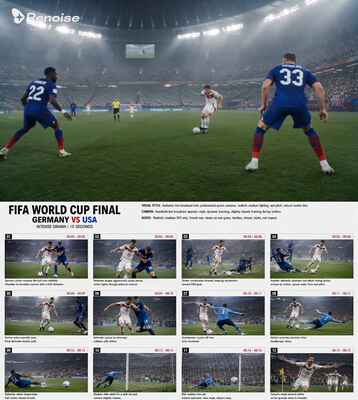
Result = perfectly consistent character + environment + 15-second flow. CRITICAL INSTRUCTION: The reference image contains a chronological storyboard in the top grid. Animate the athlete seamlessly through these exact 10 steps in order, from left to right. Start at Step 1 (March), flow into Step 2 (Arm Circles), then Step 3 (Torso Twist). Continue the chronological progression through High Knees, Butt Kicks, Lateral Lunge, Inchworm, Stretch, and Fast Feet, finishing perfectly on the final Ready Stance. Keep the camera relatively stable to prioritize the strict sequence of exercises CRITICAL INSTRUCTION: The reference image contains a 9-step chronological coffee-making storyboard. Animate the process seamlessly through these exact 9 steps in order. Start at Step 1 (Setup), flow into Step 2 (Wet Filter), then Step 3 (Add Grounds). Continue the chronological progression through Blooming, Pouring, Dripping, and finishing with the final sip (Step 9). Prioritize the strict sequence of actions to ensure every step is shown

tutorial sports lifestyle cinematic instructional
2026-05-05
Seedance Focal Length Test Portrait Demo Seedance 2.0
Hover to play preview

Seedance Focal Length Test Portrait Demo

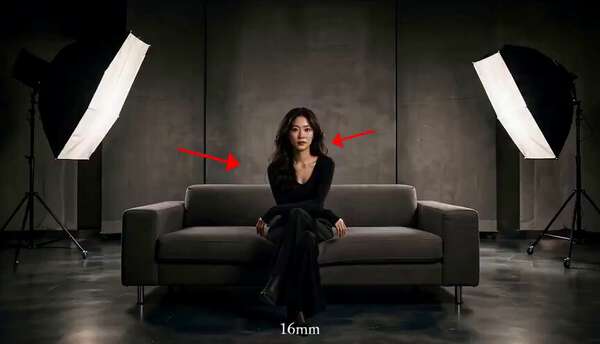
[2.5s] 24mm focal length medium frontal eye level shot. She speaks pleasantly, "Hi, there. Let's start with a 24mm focal length." [Cut: 2.5s] Transition 80mm focal length medium frontal eye level shot. The girl waves at the camera and speakls smiling, "and this is 80mm." [Cut: 2.5s] Transition to 135mm Focal length medium frontal eye level shot. The girl spins 360, then looks at the camera and speaks smiling, "and this is 135mm." [Cut: 2.5s] Transition to 200mm Focal length frontal eye level shot. The girl starts with her chin tucked slightly down then slowly raise her chin to face the camera in a gentle smile. She speaks with a gentle smile genuinely, "and this is 200mm"

portrait tutorial cinematic
2026-05-04
Seedance Spatial Reference for Props Demo Seedance 2.0
Hover to play preview

Seedance Spatial Reference for Props Demo

One continuous spatial logic. Segment 1 — 15s⚡ Position 1 — Sofa Character enters, sits on the sectional. Room geometry locked from Camera A reference. ⚡ Position 2 — Lava Lamp (Prop ①) She rises, crosses to the low unit. Crouches. Touches the glass. Blue-green wax light fills her face. ECU holds because the prop detail tile told Seedance exactly what this object looks like up close. ⚡ Position 3 — CRT Television (Prop ④) She moves across the room. Stops at the set. Segment 2 — 15s⚡ CRT Television (Prop ④) → off She kills the screen. Room loses its blue static glow. Only lava lamp and table lamp remain. ⚡ Back to Sofa — Coffee Mug (Prop ②) Back to the sectional. Picks up the mug. One sip. Rain outside. Each segment is a separate Seedance generation. Same @[image] reference board. Same prop numbers. Same room. That's how spatial consistency survives a generation cut.

tutorial cinematic indoor
2026-05-04
15-Second Fresh Pasta Tutorial Seedance 2.0
Hover to play preview

15-Second Fresh Pasta Tutorial

CRITICAL INSTRUCTION: The reference image contains a 9-step chronological cooking storyboard. Animate the chef seamlessly through these exact 9 steps in order. Start at Step 1 (Flour Well), flow into Step 2 (Crack Eggs), then Step 3 (Mix). Continue the chronological progression through Kneading, Resting, Rolling, Cutting, and Boiling, finishing perfectly on the final plated dish (Step 9). Prioritize the strict sequence of actions. 15 seconds, 16:9, realistic, cinematic, tasty, natural camera movement." How to use this system: 1. Generate the reference sheet in ChatGPT 2.0 2. Upload image reference in Seedance 3. create animation prompt like above sample 4. Set motion strength medium-high + cinematic style

food cinematic tutorial multi-shot realistic
2026-05-04
GPT Image and Seedance Video Creation Seedance 2.0
Hover to play preview

GPT Image and Seedance Video Creation

0:00–0:01 使用上传图片作为第一帧。 女孩坐在观众席中央,抬头看向球场,表情有点惊讶。 镜头保持中近景,背景观众和座椅清楚可见。 0:01–0:03 女孩突然意识到镜头正在拍她。 她睁大眼睛,嘴角上扬,身体微微向前,双手开始抬起。 镜头轻微推近,重点拍她的脸和惊喜反应。 0:03–0:05 女孩开心地举起双手从座位上站起来,激动的跳了几下。 她的头发、袖子和衣服随着动作自然晃动,胸部也跟着自动的上下抖动。 镜头稍微后拉,保证她从坐下到站起的动作完整可见。 0:05–0:07 她站稳后对镜头快速挥手,笑得很开心。 背景观众有人看向她,有人继续看比赛。 镜头保持稳定,画面像直播镜头捕捉到开心球迷。

cinematic AI workflow tutorial realistic
2026-05-04
Yoga Flow Pose Transition Animation Seedance 2.0
Hover to play preview

Yoga Flow Pose Transition Animation

Scene: One continuous shot - Hand-held YouTube-style video showing a woman performing a complete yoga vinyasa flow. Character: Use IMG1 as the character we're following in the scene. Character Motion: Use IMG2 to follow the motion and instructions exactly to complete her flow. The scene starts at IMG1. Direction: The woman stands in a peaceful orange yoga studio. The hand-held camera subtly pushes in on her as she begins her flow. It captures the moment in tight composition as she moves from mountain pose to upward salute. The camera begins to pull back out as she transitions from upward salute to swan dive and stays focused on her body as she transitions from swan dive into a forward fold. The camera begins to move right to a side profile as she plants her palms and steps back into the high plank position. The camera drops lower and pushes in towards her face for a focused close-up as she moves from chaturanga lower to upward-facing dog. The camera again pulls out, showing her full body as she transitions to the downward-facing dog position. Finally, she holds for a deep inhale and exhale in that position. Overall Tone: Her movements are all natural and fluid, controlled and directed, strong with natural body movements and subtle readjustments as she gets her balance. SoundFx: peaceful ambient hum as we hear her inhale and exhale in a rhythmic fashion with each passing pose. No music.

dance pose animation tutorial workflow
2026-04-29
Workout Motion Sheet to Video Seedance 2.0
Hover to play preview

Workout Motion Sheet to Video

Use the provided fitness reference sheet as the exact motion blueprint. Use the provided character image as the subject. Subject: Athletic character performing dumbbell exercises with perfect form. Style: ultra realistic, cinematic fitness video, natural lighting, high detail skin texture Camera: clean tripod + subtle slow push-ins, 50mm lens Duration: 10–12 seconds --- STRUCTURE: 0:00–0:02 — READY POSITION Character stands holding dumbbells, neutral stance --- 0:02–0:04 — BICEP CURL From fully extended arms → curl up → hold briefly at top --- 0:04–0:06 — SHOULDER PRESS From shoulder level → press overhead → lockout --- 0:06–0:08 — LATERAL RAISE Arms lift sideways → reach shoulder height → controlled stop --- 0:08–0:12 — SQUAT Standing → descend to full squat → rise back up --- MOTION RULES: - strictly follow reference poses - smooth transitions between key positions - controlled tempo (no fast reps) --- DETAILS: - subtle muscle tension - slight breathing motion - realistic dumbbell physics --- NEGATIVE: no exaggerated motion, no stylization, no extra characters

fitness workout motion-sheet dumbbell tutorial
By Ege
2026-04-28
Seedance 2 Prompt Share Seedance 2.0
Hover to play preview

Seedance 2 Prompt Share

Stylized 3D animation with exaggerated proportions, sharp culinary-inspired choreography, and controlled, rhythmic energy. CHARACTERS Chef: Lean build, sharp eyes, defined jawline. Wears a crisp white chef jacket with sleeves rolled up. A leather knife roll strapped at the waist like a weapon holster. Movements follow a precise rhythm: pause → burst → lock. Calm, dominant, fully in control. Customer: Large, tired build. Slouched posture. Messy clothes with stains. Greasy, unkempt appearance. Sits stiff at the counter, hands gripping the edge—only his eyes move, tracking the chef with growing tension. ENVIRONMENT Open kitchen. Counter centered. Stainless steel surfaces reflecting every movement. Warm overhead spotlights. Steam rising from pans. Flames flicker from the stove. Ingredients neatly arranged. Food scraps scatter with each step. MOOD Aggressive precision. Chef = total control. Customer = nervous, overwhelmed. TIMELINE 0:00–0:02 (Close-up) Customer sits with a messy plate of raw ingredients in front of him. Chef pulls a knife from the roll, spins it in hand, snaps it toward camera. Apron flicks through the air and ties itself perfectly. Customer’s eyes widen. 0:02–0:05 (Medium shot) Knife moves fast and sharp—cutting only ingredients. Vegetables slice into perfect cubes mid-air. Meat trimmed with surgical precision. Ingredients fall in slow motion, perfectly portioned. Pan ignites instantly. Customer grips the counter tighter. 0:05–0:08 (Tracking shot) Knife returns to roll. Tongs snap into hand. Cooking begins—controlled flips, rapid stirring, bursts of flame. Sauce spreads evenly across the pan. Raw chaos transforms into structured composition. Customer leans back slightly, eyes locked. 0:08–0:11 Plate tossed into the air, spins mid-air, lands perfectly in the chef’s hand. Brief pause. Chef assembles dish in one fluid motion—each element placed with precision. Steam rises dramatically. Customer blinks, frozen. 0:11–0:13 Final garnish. Herbs sprinkled with controlled flick. Sauce brushed in a clean arc. Plate wiped instantly. Counter cleared in one sharp motion. 0:13–0:15 Plate slides across the counter and stops in front of the customer. FINAL REVEAL Perfectly plated gourmet dish—clean, elegant, balanced. Customer slowly lifts a bite, hesitates, then tastes. Expression shifts instantly to shock and disbelief. Chef stands behind, arms crossed. Spins knife once, snaps it shut into the roll. One confident nod.

cinematic seedance tutorial
2026-04-27
Movement Sheet Dance Animation Seedance 2.0
Hover to play preview

Movement Sheet Dance Animation

Create img2 that follows the exact sequence and movements from steps 1–16 shown in img1. The music should be aud1. There should be no dialogue, text, or narration.

animation dance movement tutorial seedance
2026-04-27
Seedance 2 Dance Choreography Workflow Seedance 2.0
Hover to play preview

Seedance 2 Dance Choreography Workflow

Create a seamless 15-second dance choreography video based on the uploaded reference image. Use the female dancer from the reference image as the main character. GPT Image 2.0 prompt for reference sheet: [STYLE] monochromatic grayscale illustration, 3D rendered character, clean instructional reference sheet, white background, comic-style cell grid layout, technical diagram aesthetic [LAYOUT] 4x4 grid layout, 16 panels total, each panel separated by thin black border lines, numbered cells from 1 to 16, consistent panel size [CHARACTER] young female dancer, athletic build, ponytail hairstyle, crop top and baggy pants, sneakers, same character in all panels [PANEL STRUCTURE - per cell] top-left: bold number badge + Korean title text center: full-body character pose illustration bottom-left: Korean description text (3-4 lines) overlay: directional arrows indicating movement direction [ARROWS / MOTION INDICATORS] curved arrows, straight arrows, circular rotation indicators, placed around the character to show movement flow and direction [RENDERING STYLE] high detail 3D sculpt style, soft studio lighting, subtle shadows, no color, grayscale shading, clean linework, game concept art quality [NEGATIVE] no background scenery, no color tones, no extra characters, no cluttered backgrounds

dance choreography workflow tutorial
2026-04-26
Storyboard to Animation with Seedance 2.0 Seedance 2.0
Hover to play preview

Storyboard to Animation with Seedance 2.0

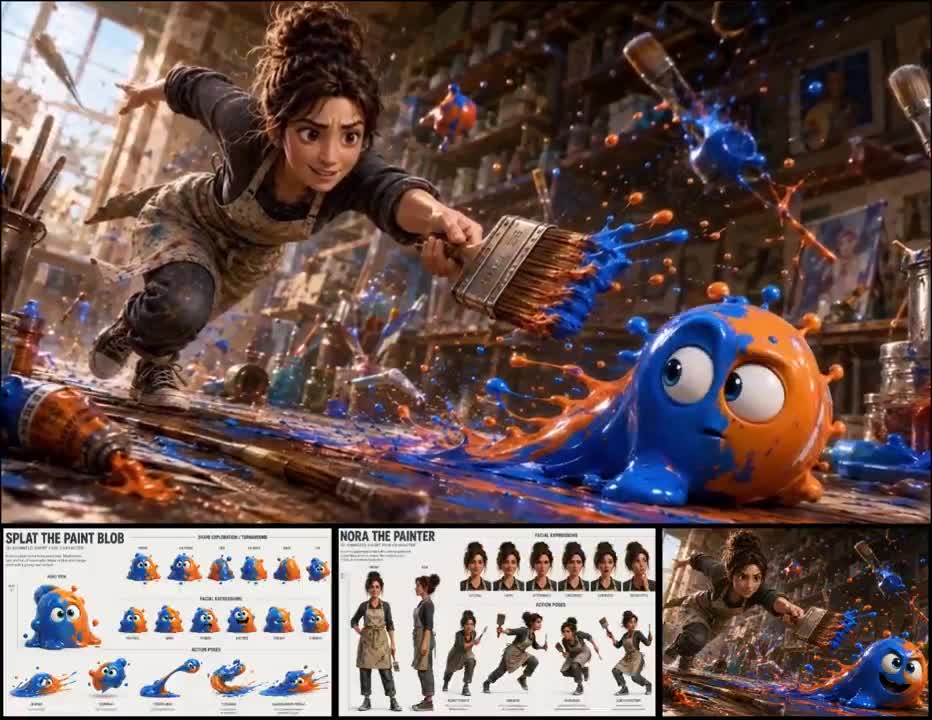
"Create the story @ Image1 high quality 3D animation fast paced with multi shot movie quality smooth cuts with beautiful ending"

storyboard animation pixar-style tutorial
By Pan
2026-04-21
Time Freeze Effect Seedance 2.0
Hover to play preview

Time Freeze Effect

[0:00–0:02] A dark car bonnet punches through the glass frontage of a small jewelry shop. Glass fractures in a starburst pattern. Camera low, wide angle. Neon purple and cyan light floods through the shattering glass. Slow motion, approx 15–20% speed. [0:02–0:06] @somrat -2 is launched through the shattering windshield in a dark green jacket. Eyes wide open, expression of raw shock. Head tilted back, one hand braced near the face, body reclined. Glass fragments explode outward in 3D arcs. Gold and silver jewelry chains spiral through the air. Camera begins a slow orbital arc rotating clockwise around the subject — starting from the right side, sweeping to the front. Wide lens, shallow DOF. Hyper slow motion, approx 10–15% speed. Neon cyan and magenta light rakes across the glass debris. [0:06–0:09] Camera completes the arc, now facing @somrat -2 front-on. His shocked face fills the frame. Glass shards hang suspended mid-air around him. Neon light splits across his face — cyan on one side, hot pink on the other. Camera still rotating slightly, almost settling. Jewelry chains drift in slow motion through the neon-lit air. [0:09–0:11] Camera locks front-on. Extreme close-up on @somrat -2's face. Eyes wide, frozen in shock. Final glass fragments drift past. Hard cut to black. Style: hyper-stylized slow-motion crash, orbital arc camera move, neon cyberpunk lighting — cyan, magenta, purple, no warm tones.

time-freeze viral effect seedance tutorial
Runway + Seedance 2.0 360° Character Rotation Reference Seedance 2.0
Hover to play preview

Runway + Seedance 2.0 360° Character Rotation Reference

Seedance 2.0 with 1080p combined with a 360° rotation video character reference created from a character turnaround image is absolute fire. Image, conversion prompt and video ref in thread. Credit to @IXITimmyIXI for the original idea.

cinematic character rotation tutorial
2026-04-16
Seedance Face Connection Technique Tutorial Seedance 2.0
Hover to play preview

Seedance Face Connection Technique Tutorial

第一章:主题: 都市深夜第一人称 POV 吐槽录像(POV Deep-Night Urban Rant) 1. 视角与动态 (POV & Camera Dynamics - 核心修改) 视角描述: 纯粹的第一人称手持自拍视角 (Selfie POV)。镜头即是手机前置摄像头。严禁画面中出现手持的第二部手机道具。 画面质感: 全景深清晰(Deep Focus/Sharp Details)。背景必须保持锐利,不进行任何光学虚化(No Bokeh)。保留手机在夜晚高感光度下产生的自然电影颗粒感(Natural Film Grain),拒绝磨皮感。 动作指令: 画面随步履有真实的物理晃动感。她边走边直视镜头,偶尔因为路面不平有轻微的身影起伏,眼神锁定屏幕(即锁定观众),就像发一段真实的 VLOG。 2. 人物视觉描述 (Character Visuals) 面部特征: 气质清冷漂亮的年轻女孩@图片1。真人实拍风格,皮肤白皙,双眼透着冷静和清醒。 服装造型:。 3. 情绪化台词与表演(压缩版核心🔥) 情绪结构(30秒版) 👉 轻松 → 自嘲 → 现实 → 假收敛 → 真爆点 → 沉默 🎬 动作脚本(30秒内精准节奏) 0–4s(轻松开场 / 降防) 动作: 随意走路,像聊天 台词: 👉 “我以前梦想嫁个有钱人直接躺平,” 4–7s(第一反转) 动作: 轻笑一下 台词: 👉 “结果我自己成了那个有钱人。” 7–11s(现实落差) 动作: 看镜头,语气变平 台词: 👉 “老公现在过着我梦寐以求的生活,我却还在台上拼。” 11–16s(价值观抛出🔥) 动作: 靠近镜头一点 台词: 👉 “姐妹们,听着:婚姻里钱多的一方永远占上风,” 音质:参考@音频1 音效: 环境声继续 无背景音乐或极弱低频 4. 环境与光影 (Environment & Lighting - 核心修改) 背景描述: 真实城市夜晚街道: 便利店招牌(清晰可读) 路灯 人行道 偶尔路人或车辆 光影控制: 光源来自真实路灯与店铺 脸部随移动产生自然明暗变化 偶尔侧逆光勾边 无打光痕迹 第二章:主题: 都市深夜第一人称@图片3 POV 吐槽录像(POV Deep-Night Urban Rant) 1. 视角与动态 (POV & Camera Dynamics - 核心修改) 视角描述: 纯粹的第一人称手持自拍视角 (Selfie POV)。镜头即是手机前置摄像头。严禁画面中出现手持的第二部手机道具。 画面质感: 全景深清晰(Deep Focus/Sharp Details)。背景必须保持锐利,不进行任何光学虚化(No Bokeh)。保留手机在夜晚高感光度下产生的自然电影颗粒感(Natural Film Grain),拒绝磨皮感。 动作指令: 画面随步履有真实的物理晃动感。她边走边直视镜头,偶尔因为路面不平有轻微的身影起伏,眼神锁定屏幕(即锁定观众),就像发一段真实的 VLOG。 2. 人物视觉描述 (Character Visuals) 面部特征: 气质清冷漂亮的年轻女孩@图片1。真人实拍风格,皮肤白皙,双眼透着冷静和清醒。 服装造型:@图片2。 3. 情绪化台词与表演(压缩版核心🔥) 情绪结构(30秒版) 👉 轻松 → 自嘲 → 现实 → 假收敛 → 真爆点 → 沉默 接@图片3延长15秒。🎬 动作脚本(30秒内精准节奏) 16–19s(假反转⚠️关键) 动作: 语气突然变轻 台词: 👉 “但占上风也要会撒娇。” 👉(观众此时会误判:你要“讲温柔关系”) 19–24s(铺垫陷阱) 动作: 微微歪头,像说悄悄话 台词: 👉 “我偶尔暗示他‘老公,今晚你负责让我放松’,” 24–28s(真正爆点🔥🔥🔥) 动作: 轻笑 + 眼神稳住 台词: 👉 “他立马懂了——钱我出,快乐他也得负责到底!” 28–30s(终极杀伤🔥) 动作: 不说话 盯镜头1秒 轻微点头 直接切 音质:参考@音频1 音效: 环境声继续 无背景音乐或极弱低频 4. 环境与光影 (Environment & Lighting - 核心修改) 背景描述: 真实城市夜晚街道: 便利店招牌(清晰可读) 路灯 人行道 偶尔路人或车辆 光影控制: 光源来自真实路灯与店铺 脸部随移动产生自然明暗变化 偶尔侧逆光勾边 无打光痕迹

seedance tutorial face-connection pov urban-night
By John
2026-04-16
Mastering Slow Motion AI Video Production nano-banana-pro
Hover to play preview

Mastering Slow Motion AI Video Production

联合办公空间时间冻结 — 视频提示词 全局风格说明 分辨率:超真实感8K,皮肤次表面散射,真实金属反射,精细织物纹理,可见汗珠 帧率:24帧/秒(电影级运动模糊) 摄影机:Arri Alexa Mini,50mm镜头,浅景深 色彩调性:去饱和灰调,柔和粉彩,干净中性色调 阴影:冷灰色,提高黑位,柔和石墨质感 中间调:中性灰,轻微冷绿偏色 高光:微妙奶油色,柔和衰减 肤色:苍白瓷器感,去饱和中性,冷色调偏移 视觉风格:安卓智能手机摄影质感,用户生成内容风格,休闲生活vlog,非专业相机美学,真实社交媒体内容 背景:现代联合办公空间——开放式工位、落地窗、白板、绿植、投影屏幕上显示AI课程广告 主角描述 白人男性,约30岁出头,短款纹理棕色头发向上造型,淡色胡茬,身高192厘米,精瘦运动型V字身材,肩部和手臂肌肉线条分明,窄腰,深邃暗色眼睛,直鼻。 面部不对称特征:左眼皮略比右眼下垂,右眉稍高,下颌线微妙不对称,胡茬生长自然不均匀。 服装:黑色高品质棉质敞开衬衫,透气白色圆领背心,细抛光银链,左手腕佩戴Apple Watch Ultra配坚固红色Alpine Loop表带,宽松红色重型工装裤,黑色编织皮带带悬垂端。 情绪:自信,有魅力,精力充沛的表演感,有节奏感的姿态。 冲击波时间冻结效果 — 技术解剖 生长模式: 白色冲击波从拍手点呈球形扩散 空气折射扭曲——冲击波边缘可见的镜头折射 冲击波通过时所有物理运动瞬间冻结 悬浮的粒子:纸张、咖啡液滴、飞行中的笔、iPad碎片 光粒子在冻结区域内微微闪烁 光线行为: 冲击波本身发出白色/蓝白色光芒 通过时在所有表面产生短暂的环境光闪烁 冻结后光线稳定为柔和的环境漫射 逆向冲击波:暖橙色/琥珀色光芒,恢复运动 环境交互: 纸张和文件在半空中冻结,边缘清晰可见 咖啡从杯中溅出冻结成雕塑般的液体形态 头发、衣物、配饰在运动中冻结 灰尘和微粒悬浮在空气中 逐帧时间线 帧1 [00:00秒–00:03秒 — 混沌联合办公空间] 镜头类型:中景跟踪镜头,50mm镜头,浅景深,摄影机在主角前方向后移动 视觉效果:现代联合办公空间内一片混乱。围绕主角的"信息骗子"们疯狂地推销AI课程。 角色群像: 粉色拟人化羊驼——穿着亮粉色西装,挥舞着写有"AI百万富翁课程"的平板电脑,毛茸茸的身体上戴满金链 戴皇冠的女士——穿华丽长袍,举着发光的水晶球,嘴巴张大做出夸张的推销姿态 金发仙女翅膀女孩——长金发飘扬,透明蝴蝶翅膀在背后扇动,双手散发出闪烁的"AI魔法"粒子 骑玩具飞机的男人——坐在一架色彩鲜艳的小型玩具飞机上在空中盘旋,手持扩音器 光头昂贵衬衫男——穿着价值不菲的深蓝色定制衬衫,袖扣闪亮,一手拿着威士忌,一手指着空中的全息AI图表 船长帽女孩——戴着船长帽,穿蓝白条纹海魂衫,站在一张办公桌上像站在船头一样指挥 【特别焦点】黑长辫女孩——长黑色辫子,冰蓝色眼睛,穿创意十足的拼接服装,表情极度自信但明显在说完全荒谬的话——她手持一块白板,上面写着完全错误的AI公式,嘴巴张开正在激情演讲 灯光:联合办公空间的自然窗光混合荧光灯,柔和主光 运动:所有角色都在激烈活动——争吵、推搡、互相抢夺客户 摄影机:在主角前方稳定向后跟踪,主角自信地穿过混乱 情绪:混沌,喧嚣,荒诞的信息过载 音频提示:嘈杂的推销声、电子音乐、通知铃声叠加 帧2 [00:03秒–00:05秒 — 拍手与冲击波] 镜头类型:中近景,摄影机继续向后跟踪,轻微降低角度仰拍主角 视觉效果:主角停下脚步,带着不屑的微笑,缓慢举起双手。他拍了一下。 这是本视频的标志性视觉效果 一道白色冲击波从拍手点爆发——空气折射扭曲清晰可见,波纹向外扩散。冲击波以大约60%速度慢动作扩展,吞噬整个空间。 冲击波通过每个角色时: 粉色羊驼在跳跃中冻结,平板电脑悬浮在空中 皇冠女士的水晶球在半空中停止旋转 仙女女孩的翅膀冻结在展开状态,"AI魔法"粒子悬浮如萤火虫 玩具飞机男冻结在半空,扩音器发出的声波可视化为冻结的波纹 光头男的威士忌在从杯中溅出的瞬间冻结 船长帽女孩的手臂冻结在指挥姿势中 黑辫女孩的辫子在空中冻结呈S形,冰蓝色眼睛在冻结瞬间闪烁 灯光:冲击波产生短暂的白蓝色闪光,随后稳定为柔和环境光 速度:冲击波扩散用慢动作(约40%速度),冻结完成后恢复正常速度 摄影机:继续向后跟踪但微微旋转,捕捉冲击波扩散全景 情绪:从混沌到绝对寂静的戏剧性转换 音频提示:拍手声→低频冲击波声→完全寂静。光粒子微微闪烁发出细微的水晶音 帧3 [00:05秒–00:09秒 — 漫步冻结世界] 镜头类型:持续跟踪镜头,摄影机缓慢环绕主角,从正面跟踪过渡到侧面3/4角度 视觉效果:完全寂静。主角是唯一在移动的人。他带着自鸣得意的微笑,悠闲地在冻结的"信息骗子"之间穿行。光粒子在空气中缓慢闪烁。 他走过冻结的粉色羊驼——用手指弹了一下它悬浮的平板电脑,平板保持不动但发出深沉的回响颤音。 他绕过冻结的玩具飞机男,好奇地低头看了看冻结在半空的飞机。 他走到光头男面前,看着冻结在半空中的威士忌液体雕塑,欣赏地点了点头。 摄影机:从正面跟踪平滑过渡到侧面跟踪,保持浅景深,冻结角色在前景和背景中虚化 灯光:柔和环境光,冻结粒子发出微弱的白色光芒 情绪:安静,从容,主角完全掌控一切 音频提示:完全寂静,只有主角脚步声和偶尔触碰冻结物体的深沉回响 帧4 [00:09秒–00:12秒 — 黑辫女孩互动] 镜头类型:中近景,摄影机在主角周围缓慢弧线运动,从侧面过渡到低角度仰拍 视觉效果:主角停在冻结的黑辫女孩面前。她的长黑辫在空中冻结呈优美的S曲线,冰蓝色的眼睛在冻结瞬间闪着光芒,嘴巴张开正要说出又一句荒谬的AI"知识",手中白板上画着完全不合逻辑的"神经网络图"(其实是一堆乱线和笑脸表情)。 主角绕着她走了半圈,欣赏地审视,轻轻摇头,嘴角带着温和的嘲讽微笑。他靠近她耳边,低声说: "So creative... yet so dumb." 他直起身,从外套内袋掏出一根烟,放入嘴中,打火机点燃。在冻结的世界中,只有火焰和烟雾在运动。他深吸一口,缓缓吐出烟雾,烟雾在冻结的空气中比正常更缓慢地扩散。 摄影机:缓慢弧线跟踪,从侧面过渡到正面低角度,突出主角的从容姿态 灯光:打火机火焰在冻结世界中产生温暖的橙色光,与冷调的冻结环境形成对比 情绪:亲密,调侃,片刻的平静中带着智慧的优越感 音频提示:打火机点燃声,吸烟声,烟雾扩散的微弱嘶嘶声 帧5 [00:12秒–00:15秒 — 逆向冲击波与恢复] 镜头类型:中远景,摄影机继续向后跟踪并缓慢上升 视觉效果:主角嘴角叼着烟,得意地冷笑。他再次拍手。 逆向冲击波——琥珀色/暖橙色的波纹从拍手点向外爆发,方向与第一次相同但色调相反。冲击波恢复一切运动: 粉色羊驼完成跳跃落地,继续推销 仙女女孩的翅膀恢复扇动,粒子重新飞散 玩具飞机嗡嗡恢复飞行 光头男的威士忌完成溅出 船长帽女孩继续指挥 黑辫女孩继续她的荒谬演讲,完全不知道刚才发生了什么 所有的"信息骗子"们继续他们的疯狂推销,完全没有意识到时间曾经停止。声音猛然恢复。 主角叼着烟,双手插兜,从混乱中自信地走开。 摄影机:持续向后跟踪并缓慢上升到俯瞰角度,从中景过渡到大远景,展现整个联合办公空间的荒诞全貌 灯光:恢复联合办公空间正常照明,暖冷光混合 情绪:荒诞喜剧的高潮——一个清醒的人在疯狂世界中从容离去 音频提示:逆向冲击波声→推销声、音乐、通知声猛然恢复→随着摄影机上升,声音逐渐变小。淡出。 主要效果清单 白色冲击波时间冻结(使用1次) — 帧2 — 白色/蓝白色球形扩散波,空气折射扭曲 — 冻结所有角色和物理运动 — 本视频标志性视觉效果 逆向冲击波解冻(使用1次) — 帧5 — 琥珀色/暖橙色波纹 — 恢复所有运动和声音 慢动作(使用1次) — 帧2(冲击波扩散阶段约40%速度) — 强调冲击波效果的视觉冲击力 悬浮粒子/物体冻结(使用1次,持续帧2-4) — 帧2至帧4 — 纸张、液体、头发、配饰在运动中冻结 — 增强时间停止的真实感 光粒子微闪(使用1次,持续帧2-4) — 帧2至帧4 — 空气中微小光点缓慢闪烁 — 营造超自然冻结空间的氛围 火焰与烟雾物理(独立运动)(使用1次) — 帧4 — 在冻结世界中唯一自然运动的元素 — 火焰和烟雾正常流动,对比冻结环境 持续环绕跟踪镜头(全片使用) — 帧1至帧5 — 无剪辑单镜头,摄影机在主角周围持续运动 — 角度和高度变化但无蒙太奇切割 摄影机高度过渡(地面到俯瞰)(使用1次) — 帧5 — 从地面跟踪缓慢上升到大远景俯瞰 — 揭示整个场景的荒诞全貌 效果密度图 00:00–00:03 = 低密度(场景建立,角色介绍,跟踪运动 — 2个效果,3秒) 00:03–00:05 = 高密度(拍手,冲击波爆发,慢动作扩散,全角色冻结,粒子悬浮 — 5个效果,2秒) 00:05–00:09 = 中密度(冻结世界漫步,物体互动回响,光粒子闪烁 — 3个效果,4秒) 00:09–00:12 = 中密度(角色互动,火焰/烟雾独立运动,弧线摄影机 — 3个效果,3秒) 00:12–00:15 = 高密度(逆向冲击波,全运动恢复,声音猛然恢复,摄影机上升 — 4个效果,3秒) 能量弧线 第一幕(00:00–00:03秒):混沌建立 以喧嚣的联合办公空间开场,建立荒诞的信息过载环境。能量来自于环境本身的疯狂——七个夸张的角色同时推销,营造感官超载。 第二幕(00:03–00:05秒):爆发与冻结 拍手是能量的顶峰瞬间。冲击波的慢动作扩散是最密集的视觉效果时刻。从极度混乱到绝对寂静的对比产生最大戏剧性冲击。 第三幕(00:05–00:12秒):从容掌控 能量降至最低点——寂静、缓慢、从容。主角在冻结世界中的漫步是对比的核心。与黑辫女孩的互动和点烟是叙事的情感高点——嘲讽与优越感。 第四幕(00:12–00:15秒):解冻与离去 逆向冲击波恢复混乱,但主角已经超然物外。摄影机上升揭示全景,将个人故事扩展为对整个"AI课程骗局"生态的视觉评论。能量在荒诞与从容的对比中解决。淡出。

slow motion tutorial editing multi-shot
2026-04-13
Visual Style Analysis Guide Seedance 2.0
Hover to play preview

Visual Style Analysis Guide

角色设定: 你是一位拥有20年经验的电影摄影指导(DOP)和美术指导。你擅长从视觉画面中剥离内容,提炼出核心的美学逻辑。 任务目标: 请分析我上传的这组参考图,忽略画面中的具体人物和动作(这是可变量),只从以下维度深度解析画面中的“不可变视觉条件” (Immutable Visual Conditions): 1. 光影逻辑 (Lighting & Atmosphere): 它是硬光还是柔光?光源的方向性如何(侧光/顶光/背光)?明暗对比度(Chiaroscuro)是高还是低?是否有丁达尔效应或特定的环境光? 2. 胶片与质感 (Texture & Fidelity): 模拟的是什么年代的胶片(如70年代Technicolor)?颗粒感(Grain)的强度如何?画面的清晰度、锐度以及是否有物理损伤感(划痕、灰尘)? 3. 色彩科学 (Color Grading): 整体色调倾向是什么(如低饱和、高反差、偏绿/偏黄)?高光和阴影的色偏如何? 4. 构图与空间 (Composition & Spatial): 镜头语言有什么特征(如广角、长焦压缩)?前景遮挡关系如何?空间透视是平面的还是深邃的? 输出要求: 请不要给我写散文。请直接提取出 10-15 个精准的英文关键词或短语(Prompt Tags),用逗号分隔,按重要性排序。这些词必须能准确复刻这种视觉风格。 二、将风格总结为模版的提示词 【标准化模版构建】提示词 (用来把提取的条件变成“万能模版”) 【使用场景】: 当你已经得到了第一步分析出的“风格关键词”(比如:Technicolor, heavy grain, hard light...),想把它变成一个以后能无限填空的“万能公式”时,把那些关键词发给 AI,然后发送这段话。 【复制以下内容给 AI】: 【复制以下内容给 AI】: 角色设定: 你是一位精通 Midjourney/Stable Diffusion 的 AIGC 提示词工程师。 任务目标: 基于我们刚刚提取的“不可变视觉风格关键词”,请为我构建一套“标准化、模块化的提示词模版” (Modular Prompt Template)。 模版结构要求: 请将提示词拆解为三个模块,并用括号 [] 标出用户需要填空的地方: 1. 【可变内容区】 (Variable Content Block): - 留出 [景别 Shot Type] 的填空位。 - 留出 [主体与动作 Subject & Action] 的填空位。 - 留出 [环境描述 Environment] 的填空位。 2. 【半固定构图区】 (Semi-fixed Composition Block): - 将刚才分析出的构图逻辑(如:前景遮挡、人小景大、垂直线条)写死在这里,作为固定后缀。 3. 【不可变风格区】 (Immutable Style Block) - 权重最高: - 将刚才分析出的光影、胶片质感、色彩关键词全部整合在这里。 - 关键: 必须包含负面提示词(Negative Prompts)建议,明确告诉 AI 不要生成什么(如:不要现代感、不要柔光、不要高清数码味)。 输出格式示例: 请最后直接给我一段可以复制使用的英文 Prompt 模版,类似于: [SHOT TYPE], [SUBJECT ACTION], [ENVIRONMENT]. [COMPOSITION RULES]. [IMMUTABLE STYLE KEYWORDS]. --no [NEGATIVE KEYWORDS]

tutorial filmmaking style guide
By John
2026-04-07
Multi Prompt Showcase Seedance 2.0
Hover to play preview

Multi Prompt Showcase

0–1.5s (Shot 1): Low-angle shot from the floor. A wooden chair drags slowly across the room on its own, stopping abruptly. Shadows stretch unnaturally along the walls as a door creaks open in the background. VFX: shadow stretch, dust particles SFX: wood scrape, door creak 1.5–3s (Shot 2): Crane shot rising. A woman stands frozen, breath shaking, as a dark silhouette forms behind her in the corner, barely visible in the dim light. VFX: shadow forming, light flicker SFX: low whisper, heartbeat 3–4.5s (Shot 3): Pull-out shot. The lights flicker violently, revealing the figure closer each time, its head tilted unnaturally, limbs slightly distorted. VFX: flicker strobe, glitch effect SFX: electrical buzz, sharp sting 4.5–6s (Shot 4): High-angle shot. Objects begin to lift slowly into the air, then slam violently against the walls as the room darkens completely. VFX: levitation, impact shock SFX: thuds, glass shatter 6–7.5s (Shot 5): Close-up push-in. The woman whispers a prayer, eyes filled with tears, as a hand suddenly grips her shoulder from behind. VFX: sudden shadow pop, micro shake SFX: whisper echo, grab hit 7.5–9s (Shot 6): Tracking shot. She is dragged backward across the floor into darkness, leaving scratch marks as her fingers claw at the wood. VFX: floor drag marks, motion blur SFX: dragging, scream echo 9–10.5s (Shot 7): Dolly shot circling. The room twists subtly, walls bending inward, the silhouette now fully visible in the center, watching silently. VFX: distortion warp, subtle rotation SFX: low drone, breathing 10.5–12s (Shot 8): Low-angle shot. The entity suddenly lunges forward unnaturally fast, filling the frame with a distorted face. VFX: speed warp, face distortion SFX: jump scare hit, scream burst 12–13.5s (Shot 9): Low-angle tracking shot. Silence drops. The room appears empty again, objects still, as if nothing happened. VFX: fade reset, dust settle SFX: silence, faint ringing 13.5–15s (Shot 10): Facial close-up. Behind the woman, the entity slowly reappears, inches from her face, eyes hollow and unblinking as it whispers. VFX: shadow reveal, eye darkness SFX: whisper close, breath

tutorial workflow tool multi-shot cinematic
2026-04-04
Action Storyboard Workflow Seedance 2.0
Hover to play preview

Action Storyboard Workflow

3x3のストーリーボードをリファレンスにしてアクションシーンが作れます オムニリファレンスがないですがこれはかなり使えそう さらに他では弾かれるレベルの実写の顔でも通っちゃいます

action tutorial workflow cinematic video
2026-04-04
Split Portrait Tutorial Kling 3.0
Hover to play preview

Split Portrait Tutorial

Maintain the 5-panel split-screen layout, the red background, and all text overlays exactly as they are. In all 5 panels simultaneously, the man slowly and smoothly turns his head from looking to the right to facing directly forward at the camera. The movement must be perfectly synchronized across all panels. The camera framing in each panel remains completely static. Subtle light reflections shift on the red-tinted glasses as his head turns.

portrait tutorial cinematic multi-shot image-to-video
2026-04-04
AI Video Workflow Seedance 2.0
Hover to play preview

AI Video Workflow

画面の 左側が「入力・設定エリア」 右側が「制作エリア」 【左側】入力・設定エリア ここに、人間が「総監督」として、作品の方向性を入力していきます。 ユーザーの抽象的なリクエスト(例:戦うシーン)に対し、AIディレクターが即座に制作プランを提示。 「キャラクター」を入れると具体的なワークフローが自動で組まれます。 動画の長さ、アスペクト比などをワンクリックで選択。 セリフ・スタイルの入力は、プロンプトではなく日常的な言葉での指示だけでOK! 【右側】制作エリア 左側での決定に基づき、複数のAIエージェントが並列・連携して自動で動き生成してくれます。 脚本 (最上段): 入力された「戦うシーン」から、シナリオと演出を生成。 キャラクター設定 (二段目): 脚本に基づき、三面図を含む詳細なキャラクターシートを作成。 環境設定 (三段目): 戦いの舞台となる背景を構築。 最終出力 (最下段): すべての設定を統合。 複数のカットがストーリーの流れに沿って一気に書き出されます。

tutorial workflow tool japan meta
2026-04-03
Pixar Kitchen Animation Guide Seedance 2.0
Hover to play preview

Pixar Kitchen Animation Guide

Pixar 3D animated [kitchen / food setting]. [Lighting description]. CHARACTERS: [describe main chef/character(s) with exaggerated Pixar traits] SEQUENCE: 0-3s — [first action, e.g. dramatic chopping or ingredient reveal] 3-6s — [next step…] … CAMERA: [specific shots, slow-mo, pans, etc.] SOUND: [whooshes, sizzles, clinks, character sounds, music mood]

cooking cinematic animation style tutorial
2026-04-03
Grok Imagine Video Guide Grok
Hover to play preview

Grok Imagine Video Guide

Check out our guide to making Grok Imagine videos. Write better prompts, use multiple images to create video scenes, extend your video, and more.

tutorial grok guide
2026-03-29
Character Consistency Workflow Seedance 2.0
Hover to play preview

Character Consistency Workflow

I finally cracked character consistency in Seedance 2.0 • Works with real humans • Works with fictional characters • Train once → generate infinitely No hacks, just a solid workflow 🔥 Now open-sourced in Open-Higgsfield-AI

tutorial technique workflow
Cinematic Japanese Scene Kling 3.0
Hover to play preview

Cinematic Japanese Scene

A tight, intimate two-shot at the bar in a dimly lit sci-fi western saloon with warm amber lighting, soft haze, and shallow depth of field. The Japanese woman in a red corset leans slightly closer across the bar toward Cal in a black pinstripe suit, fedora, and dark glasses. The camera remains steady at eye level, capturing both faces in profile with soft bokeh lights glowing in the background. She studies him with quiet curiosity, her voice low and smooth as she asks in Japanese: 「お名前は何ですか?」A subtle pause. Cal remains perfectly still, then slowly tilts his head a fraction toward her, his metallic face catching the warm light. His tone is calm, controlled, and emotionless as he replies in Japanese: 「重要じゃない。」Hold the tension for a beat as the ambient saloon noise hums softly underneath.

cinematic tutorial creative
2026-03-29
Animation Frame Consistency Seedance 2.0
Hover to play preview

Animation Frame Consistency

"A man walks out of the kitchen and goes to the bathroom, happy and singing. [cut] The man stands in front of the mirror and takes hair gel from the cabinet behind it. [cut] Close-up shot of the man pouring some gel into his palm. [cut] The man runs his hands through his hair and applies the gel. [cut] The man grooms his moustache with a comb. [cut] The man looks in the mirror before leaving the bathroom and blinks. [cut] The man walks down the hallway toward the door. No music, no talking."

animation consistency tutorial art
2026-03-28
Food Review Short Video Seedance 2.0
Hover to play preview

Food Review Short Video

做一段带货的短视频,一位年轻漂亮美女@【@图1】黑色长发,坐在门店餐桌旁,吃着麻辣烫@【@图2】,讲解产品的口感,口语化表达,用生活中聊天的语气分享口感心得,同时用筷子夹起麻辣烫里的特色食材(如:爆浆芝士丸/嫩牛肉)去展示,表情亲切自然,动作舒缓,产品中近景特写,人物中远景相络合,镜头平稳,4k高清,动作连贯。横屏2.0,原比例。

tutorial food commercial
2026-03-28
AI VFX Generation System Seedance 2.0
Hover to play preview

AI VFX Generation System

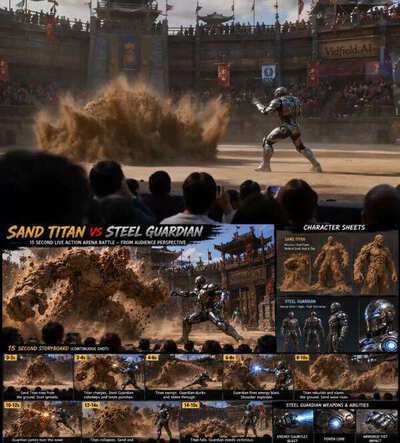
15s Eastern Dark Epic Sequence Style & Genre: Eastern fantasy, dark mythology, Chinese surreal horror, Black Myth aesthetic, hyper-realistic fantasy, oppressive tone, megalophobia (fear of massive entities), cinematic language, high-concept art direction Title: Apocalyptic Nuo Deity Visual Style: Ultra-realistic 3D, Eastern dark epic, post-apocalyptic wasteland, low brightness with high contrast (chiaroscuro lighting) Core Emotion: Extreme oppression, megalophobia, eerie despair No dialogue / No narration [00:00 – 00:03] — Macro Horror Opening Shot: Extreme macro close-up Visual: A massive, grotesque human-like hand/foot slams down onto a dark, ruined concrete surface. Skin is pale, veiny, covered in bruising and mud. Hyper-realistic details: cracked fingernails, wrinkled skin, bulging veins. The limb twists unnaturally, gripping the ground and crushing exposed steel rebar beneath it. Sound Design: Deep sub-bass rumble creeping in Bone-cracking sounds (distorted, unsettling) Heavy debris impact, concrete fracturing No melody — only ambient noise [00:03 – 00:08] — Reveal of Form & Texture Shot: Ground-level tracking shot, slow pull-back + tilt up Visual: Camera glides backward along multiple pale, distorted human limbs crawling forward. A massive dark green fabric shroud drapes over the creature. Texture: thick, decayed cloth, covered in sticky black residue. White concentric-circle patterns resemble eyes subtly twitching in the shadows. The limbs crawl in alternating motion — stiff, yet disturbingly elastic and organic. Sound Design: Heavy fabric dragging across the ground Deep double bass drones emerge, like a distant abyssal wail Tension slowly builds [00:08 – 00:12] — Full Reveal Through Space Compression Shot: Accelerated pull-back through foreground obstruction Visual: Camera rapidly retreats through a dark concrete tunnel/culvert, using tight framing to create spatial pressure. Suddenly emerges into open space — Ash falls from the sky under apocalyptic daylight. The full entity is revealed: A colossal moving flesh mountain, composed of dozens of human limbs, crawling across a ruined modern city street. It towers over broken buildings, blocking out the sky — overwhelming scale contrast (megalophobia). Sound Design: Massive brass hits slam in Epic, dark mythological tone

VFX tutorial technology cinematic comparison
2026-03-27
Cinematic Workflow Template Seedance 2.0
Hover to play preview

Cinematic Workflow Template

[CINEMATIC SETUP] [Film stock / lens / aperture / camera behavior]. [Color grade]. [Lighting source]. [Atmosphere]. [Audio: sound FX only / no music]. Face stable, no deformation. [@ image1] is [role]. [@ image2] is [reference for X]. 0-1s: [Shot type]. [@ image1] [precise action]. [Camera move]. [Sound.] 1-3s: [Shot type]. [Action sequence with physics]. [Camera behavior]. [Sound FX.] 3-5s: ... 13-15s: [Closing shot]. [Final action / movement]. [Sound fade or impact.]

workflow tutorial cinematic template
2026-03-26
Continuous Prison Corridor Shot Seedance 2.0
Hover to play preview

Continuous Prison Corridor Shot

FORMAT: 15s / free rhythm / ONE CONTINUOUS SHOT / motivated camera movement SUBJECTS: Shackled prisoners in magnetic cuffs, armored guards, a damaged med-drone trailing tubing, and a silent detainee with altered anatomy inside a dark cell. ENVIRONMENT: A prison transport corridor inside a starship with sliding cell doors, frosted inspection glass, wet steel flooring, restraint rails, and white ceiling panels. Cold vapor leaks from vents, antiseptic residue streaks the deck, and alarm strobes stain the corridor. MOOD: Biotech dread breaks sterile control. COLOR LOGIC: Matrix Green Look TIMELINE: 0:00-0:03: Restraint march. Low wide shot with rails and boots dominating the foreground. Prisoners in magnetic cuffs shuffle between guards, one set of bound fingers twitching out of sync under hard white light. Steadicam retreat at 28mm until a guard's baton snaps into frame. SFX: cuff hum, boot thuds, chain rattle, ship drone, radio static. 0:03-0:05: Baton cue. Medium shot as the baton cuts across the lens and signals a halt, catching a green monitor reflection. The camera whips with it toward a sealed cell door as locking bars retract and a wet smear glints on the threshold. Fast motivated pan into a truck move. SFX: baton swish, servo clunk, magnetic lock release, boots scraping steel. 0:05-0:07: Cell release. Frame-within-frame on the sliding door opening into a side bay. Before the interior fully reads, a damaged med-drone bursts out trailing snapped tubing and a folded injector arm, slicing past the camera and forcing a redirect. The camera dips and accelerates after it. SFX: door grind, rotor jitter, broken warning chirp, fluid drip, guard shout off metal walls. 0:07-0:10: Emergency run. Wide shot with layered bars and shoulders as the med-drone races beneath pulsing ceiling panels, projecting a warped scan grid over prisoners and guards. The camera chases just behind it as prisoners recoil and one guard jerks back from the dangling instrument. SFX: rotor buzz, strained breath, armor clatter, siren swell, rubber soles. White light sickens into green and red alarm wash. 0:10-0:12: Alarm pull. Upward tilt into a rotating alarm beacon above an isolation block, then a smooth pedestal down as the strobe paints the corridor in green, white, and red. The reflection sweeps across black cell glass, revealing a silhouette that seems to gain an extra joint only when lit. SFX: alarm pulse, electrical buzz, vent hiss, ambience dropping into near-silence. 0:12-0:15: Final hold. Medium close-up settling to close-up through the isolation window. A detainee stands motionless in darkness with magnetic cuffs hanging loose, head slightly lowered, chest moving in segmented pulses, while the red strobe passes across a face that looks almost normal except for a jawline opening a fraction as vapor slips out. Slow push-in at 50mm, ending on stillness behind the glass. SFX: low reactor thrum, faint cuff buzz, glass creak, wet exhale, alarm pulse receding into silence.

seedance master-shot filmmaking cinematography tutorial
2026-03-24
Cinematic Lighting Tutorial Seedance 2.0
Hover to play preview

Cinematic Lighting Tutorial

"A lone figure on a rooftop at dusk, golden hour volumetric light rays streaming through layers of haze, city lights flickering below, warm and cold light mixing"

tutorial lighting cinematography cinematic